Thursday, May 14, 2015

A Sweet Hello Shaped Card

Hi, all my crafty, bloggy friends! Today is my day to post over at the Cardz TV Gallery blog. There are new projects by different Design Team members every Monday through Friday. Check it out and get inspired.

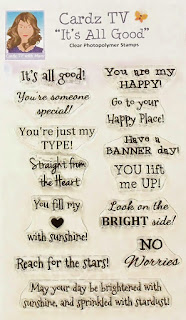
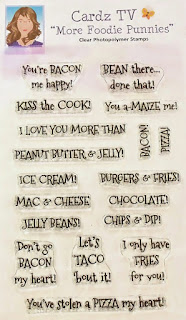
Oh my gosh! GUESS WHAT??!!  Mary has several NEW STAMPS just added to the store THIS WEEK!  Be sure to stop by the Cardz TV Stamp store and check them out. I love them. They are going to be really popular. Can't wait to get mine in the mail!  See below for a sneak peek at what's new in the store this week.


  • Silhouette Design #78550 (shaped card)
  • Twine - black, yellow
  • Buttons - black, yellow
  • Pattern paper - Carta Bella
  • Cardz TV Stamps - Ticket Talk 2
I curled up the petals of the flowers a little to give it some dimension. Two flower centers have yellow buttons, and one has a black button. That's me. I like asymmetry. Here's a look-see at the inside:


For the inside I cut out the pitcher base again in solid yellow and then created an internal offset using the Silhouette software which I cut out in white. The cardstock and ink color is SU's Crushed Curry.

Now... for a sneak at the BRAND NEW STAMPS in the store this week.


Thank you so much for stopping by today!

Wednesday, May 13, 2015

Girls Night Out!

Hi, everyone! If you are looking for my Weight Watchers Wednesday post, just scroll down.

I decided to do a little playing today with the Cricut Design Space. I've been enjoying the Make-It-Now projects, but decided this time I was going to make a card from scratch to fit a couple of challenges going on I want to enter.


  • Image #M39CFC from the Pack Your Bags Cricut cartridge
  • Pattern papers from My Mind's Eye - Lost & Found
  • Ribbon from stash
  • Cardz TV Stamps "Good Friends"
I love heavily layered cards like this. 

Weight Watchers Wednesday


Hi, everyone! How's it going with your Weight Watchers? I hope you are staying on track and enjoying the results!


See Snoopy there? That's how I felt Sunday night. We had a full weekend with lots of food, family & friends, and I felt like Snoopy looks Sunday night. I knew I had over done it with all the snacking and eating. It happens. I'm not going to beat myself up about it. Monday my weight was +0.4 pounds. Not even a pound gained. Thankful it wasn't worse!

BUT, now it's time to regroup and get back on track.

Hang in there, guys! Don't give up. Take the good weigh-in days and the bad ones and just keep moving forward toward your goal. You can do this!!

See you next Wednesday!

If you'd like to join Weight Watchers, click HERE.

:) Janis

Tuesday, May 12, 2015

CTMH Freebie up for Grabs!

SHOP HERE at my CTMH online only Party. Ends FRIDAY!

Don't forget to come shopping with me over at my Close To My Heart (CTMH) party. Be sure to click on Join Janis's Facebook Party in order for your order to count toward my party sales. 


If you want a CTMH FREEBIE.... here's some info on that.

First, join our Facebook Event with this link...
https://www.facebook.com/events/371055876421496/

The FREEBIE is only for people in that group, so if you have trouble, just friend request me on Facebook, and I'll get you added. Jen keeps doing lots of games and Freebies, so it's worth joining.

Second, here is a copy and paste of how to get that FREEBIE!

I have another stamp set to give-a-way to the next person who places an order of $25 or more!! These are really cute sets that each contain 4 stamps..who doesn't love free!! And to make this deal even better If you place an order of $50 or more I will add in an ink pad.

Easy Peasy!


SHOP HERE at my CTMH online only Party. Ends FRIDAY!


Thank you so much! If you host at CTMH party with Jen, be sure to invite me so I can order from you too.

Hugs & Smiles!
:) Janis

Project Life Scrapbook Page for Week 18

Hi all my crafty friends!  Today starts a brand new scrapbook challenge over at Bimini Moose! Any type of scrapbooking is welcome and the theme is always Anything Goes with an optional Twist. Pop over and submit your scrapbook page you're working on. Someone will win a FREE SVG File from KaDoodle Bug Designs!


I'm so excited about this scrapbook page today because I learned how to use my new Cricut Explore Air to WRITE THE WEEK NUMBER! I know. It's a little thing. It doesn't take much to make me happy. LOL

Here is my page!


  • Project Life filler cards from stash
  • Stampin' Up Speech Bubble metal dies with Cuttlebug
  • Blue dew drops
  • Cardz TV Stamps "More Spooky Sayings" for YIKES! stamp on the snake photo
  • Cricut Explore Air for writing "Week 18" (see tutorial below)
  • Date stamp for that week's dates
Very simple page with not a lot going on. Some weeks are die cut heavy, and some weeks are mostly photos. You just never know what I'll do with my scrapbook pages. 

For all of you who are brand new to the Cricut Explore and Cricut Design Space (like me), here is a very simple tutorial for how to use the Cricut Pens in your toy... I mean your Cricut Explore machine.

1. Open Cricut Design Space and Log In
2. Create New Project


3.  Add Text


4. Click on scissors and change to PEN.


5.  Click on Edit
6. Click on HAS A WRITING STYLE
7. Choose font
8. Edit size & placement on mat
9. Insert Cricut Pen into A on machine
10. Click GO
11. Load Paper
12. Click Cricut symbol to start writing


Voila! 'Tis awesome!  I did a little experiment yesterday and found out these Crayola pens DO fit in the Cricut Explore. Oh the possibilities!


Thanks for swinging by to visit me today. I love your comments! See you next time.
:) Janis

Monday, May 11, 2015

Anna Griffin Elegant Edges Card

Hi, everyone! Hope your weekend was fantastic.  Today I have a great card to show you that I found in the Cricut Design Space Make-It-Now section.


  • Cricut Design Space Make-It-Now Anna Griffin Elegant Edges card
  • Anna Griffin 3D flowers, sentiment, and bow added to design
  • Papers from scrap box


It's really cool how to make shaped cards without welding anything. Simply cut out two of the base layers. Score one of them 3/4" from the top. Add adhesive above that score line, and adhere to the other base shape. Voila! A card!

Thanks for stopping by today. See you tomorrow!

P.S. Don't forget to come shopping with me over at my Close To My Heart (CTMH) party. Be sure to click on Join Janis's Facebook Party in order for your order to count toward my party sales. Thank you!

:) Janis

Sunday, May 10, 2015

Happy Mother's Day

Happy Mother's Day to all of you who are mothers and those filling in for the moms out there.


  • Cricut Design Space Make-It-Now Mom card
  • Butterfly element added to front of card - it's gorgeous - I wish you could see it in person
  • Hobby Lobby paper for envelope 
  • Envelope created using my We R Memory Keepers Envelope Maker Board
  • Cardz TV Stamps "Happy Days" for inside sentiment
Enjoy your day!
:) Janis

Saturday, May 9, 2015

Nice Hat!

Today is the day that our daughter, Kati, graduates with honors (All A's) with her Masters. We are so proud of her! When she graduated from college the first time, she took a year or two to be out there working and decided she really wanted to teach art in school. With a little encouragement, she made the plunge to return to school to get her Masters. Again, we are so proud of her.


I saw this card in the Make-It-Now section of Cricut Design Space and knew right away this was the one I wanted to use for her.

  • Cricut Design Space Make-It-Now Graduation card
  • Dew drop from stash
  • Cricut Silver Pen using the Write feature of the Cricut Explore
  • Foam tape to adhere hat for card dimension
It's so impressive to see the Cricut writing on my cards. I love that feature of this new machine! Busy day today - party decorating this morning, graduation ceremony this afternoon, and party tonight at our house. Enjoy your day!
:) Janis

Friday, May 8, 2015

You're Invited (Cricut Explore)

Having a blast with Cricut Explore!


  • Cricut Design Space Make-It-Now card & envelope
  • Oh my gosh - I didn't need to add a thing to this one - the cut does all the decorating for me!
See you next time.
:) Janis


Thursday, May 7, 2015

Bookmarks using Cricut Design Space & CTMH Inks & Stamps

I'm having an online only Close to My Heart party! Jen Armstrong​ is the CTMH consultant, and she'd love to help you earn free and discounted CTMH products too. Just comment here.

If you need to do some shopping and grab some things on your wish list, I'd love you to join in on the fun! Just use this link

SHOP HERE.... http://jenileigh.ctmh.com/

Be sure to click on JANIS'S FACEBOOK PARTY so your order will go toward my party sales. I'm so excited! Can't wait to see what you create with your new CTMH goodies.


We are having fun, games, and prizes over at the Janis's Facebook Party EVENT page.
Join Facebook Party EVENT page here
https://www.facebook.com/events/371055876421496/376985969161820/

Thanks for shopping. HUGS!

---------

Today I used some of My Close To My Heart (CTMH) products to make some summery bookmarks.


  • Cricut Design Space - I searched for Labels and found this one that I liked.
  • I cut out 2 of the base (shadow) layers.
  • Scored one layer at 3/4" from the top and adhered that top section above the score line with the other base layer with glue. This will allow the bookmark to stick out of the book 3/4" which is nice because you can always see where your bookmark is instead of it sliding down between the pages (or falling out of your book completely).
  • For the front, I added some summer pattern paper
  • Searched again for Oval and found this one with a shadow layer. This was used on the front to mat my sentiment.
  • Close To My Heart stamp set "Happy Birds" for sentiment stamps
  • I added some magnetic tape to the inside pieces. This allows the bookmark to "grab" the page and not fall out of the book. 
  • CTMH inks used: Lagoon, Pear, & Cotton Candy
Hope you'll come play with us in the CTMH Facebook Event page. Don't forget to go do some shopping. Be sure to click on JOIN JANIS'S FACEBOOK PARTY when you shop!!

:) Janis

Hot Air Balloon Card (Cricut Explore)

So glad you are back to see what I'm up to in my craft room!


  • Cricut Design Space Make-It-Now Hot Air Balloon Card
  • Pop dots for dimension (large cloud and hot air balloon)
  • Pearls on cloud
So simple. Love the Make-It-Now projects.

:) Janis

Wednesday, May 6, 2015

Weight Watchers Wednesday


Hi, everyone! I hope you have stayed the course on your weight loss journey since we last chatted on last Wednesday. I got a surprise in my email yesterday morning. Weight Watchers told me that my friend had signed up with my link, and I was going to receive a FREE month!  It didn't say who the friend was, so just know your privacy is protected if you use my link to join WW. Whoever you are, THANK YOU for joining with my link, and CONGRATULATIONS on your first step toward reaching your goal weight. I'm so very proud of you. You can do this! Just remember, we are not perfect and our weigh-in days may show loss, no loss, or gain on some weeks. Don't give up! Just keep doing what WW recommends and you will succeed.

Here is my current weigh-in chart. I lost -2.4 pounds on my Monday Weigh-in day. Now, that is not normal. I did a lot of work outside last week and over the weekend, so I'm sure that boosted my weight loss. My total weight loss since I started at the end of January is -23.2 pounds! Gone! Outta here! Buh-bye!


Thank you all so much for sitting with me each Wednesday while I blog my Weight Loss Journey. I love your comments and emails. Keep them coming!

If you would like to join Weight Watchers, I'd LOVE it if you would use my link.

Join Weight Weights with my link HERE.

To read about my journey from the beginning, click on the Weight Watchers tab at the top of my blog.

See you next Wednesday!

P.S.  I want to say that FRUIT has really helped me in my weight loss. Most fruits count ZERO points and are great to snack on during the day instead of grabbing that chocolate or other high point food. Not that you can't ever have chocolate or high point foods, because you can with WW. Just be sure to count the points and stay within your daily allowance and weekly allowance and you can do that. Snacking on fruit will help you save those points for bigger meals at celebrations or going out to eat if that's what you enjoy like me.

:) Janis

Tuesday, May 5, 2015

Scrapbook Pages from Week 17 - Project Life Style

Hi! I'm a little behind in showing you my Project Life Weekly pages. It's time to do some catching up with that! Week 17 (April 20 - 26) was extremely busy for me. I stained all 4 of our decks a little each day that week. It all looked so good when it was done. Now keep in mind, I only stained what I could reach. Tom's going to do the parts that require a ladder. (Ladders scare me. LOL)  See that crazy, messed up brush? One of the days was very, very windy and the stain was actually drying on the brush and reeking havoc with my brush bristles. But the job got done, and the brush went to live in the trashcan when I was done for that day.

Products used for first page:

  • Chipboard sentiments from stash
  • PL Plus One card kit
  • Print 'n Cut feature of Cameo for little girls and the sentiments on their cards
So for the first page, we have my deck staining project, Bonnie playing with little cars at her desk, my daddy during Family Night, and some beautiful yellow roses blooming in our yard at the house in North (not at the lake house).


Products used for page 2:

  • More die cuts from stash
  • More Print 'n Cut girls and sentiments using my Cameo
  • PicMonkey for making photo collages and typing on the last photo
About this page: On Sunday, Tom and I decided to play some games. We started off with Battleship (which he won almost right away and then would not finish off sinking my ships until I found another one of his ships - he's really nice like that).  Then there are lots of photos from Sunday. We had some friends over, did some grilling, and most everyone did some fishing off our dock. I think everyone that threw a line caught something whether catfish or smaller fish. In one photo, Tom is pulling up a catfish pretending that he caught it which is why that photo says, "Yeah, No." LOL He cracks me up. 


Enjoy your week! I hope it's an awesome one for you all.
:) Janis

Monday, May 4, 2015

Hello There (Cricut Explore Card)

Happy Monday to you! Hope you all had a great weekend. We finally got all 3 decks completely finished with painting and the dock is almost finished. We still need to paint the lake side - which either requires us to be swimming in the water or standing in a low boat. We're still trying to figure that one out. But it all looks amazing. We started painting the dog fence Tom built, but ran out of paint. Can you believe it was all hand brushed and has eaten 10 gallons so far?

Yesterday I spent some time going through the Make-It-Now CARDS section at Cricut Design Space. I didn't realize how much I would enjoy making projects that are pre-sized and all I have to do is load paper and cut. The Cricut Explore is impressing me with how well it cuts intricate details, and it's so quiet. I don't cut cursive words or small things with my Cameo. It tears my paper. I'm pretty sure it's something I'm not doing right, but the frustration level got to the point I just avoid cuts like that. While I was browsing the CARD section yesterday on Design Space, I spent some time just cutting out parts for several card projects, then putting the projects in ziplock bags to keep them separated by project, to assemble later. I was amazed when the MOM from my first card cut so well. I was amazed again yesterday when cutting doilies, print and cuts, hello in cursive, and other intricate cuts. WOW. I had no idea this machine would impress me so much. I can't wait to get more Cricut pens for the machine and the scoring tool (which are both already ordered and should arrive today).

So, enough blabbing. Onto a project for today.  Oh wait, before I do that, I have a question. Does anyone know how to tell where the cuts come from that are in the Make-It-Now designs? Don't judge me - I'm new to this. LOL  But some of the cuts make me want to see what else is on that cart it came from.

Okay, now onto my card. Really. No more delays....


  • When I first saw this card, I thought the "Hello there" was showing through, but actually each letter is cut out and adhered separately. And the letters didn't tear! 
  • I ran the letters through my Xyron for easy adhering to the card.
  • Some twine from stash
  • Glitter polka dot paper from scrap box
Thanks for stopping by! See you tomorrow.
:) Janis

Sunday, May 3, 2015

Drawn Mother's Day Card with the Cricut Expression Air

Guess what arrived at my house Friday?


I wasn't able to get a project done with it on Friday partly because it arrived so late, but mostly because I didn't have a clue of how to use Design Space. Since we only have internet with our phone data, watching videos and downloading PDFs is way too much data. I was lucky enough to find a blog with some written tutorials (without having to watch a video or download a PDF). If you guys have links to more tutorials like that, PLEASE SHARE!

Yesterday morning, I had about an hour before I had to get to work outside with my husband painting the dock and laying out pine straw. That means - time to find a simple project to make just so I could accomplish something with my new toy.

I searched in the Cricut Design Space CARD section and found this simple and beautiful card using the Cricut Pen (one of the things I was most excited about my new machine) and a couple simple cuts.

Link to Drawn Mother's Day Card

Voila! So easy and beautiful. Now I feel like I'm on the right track. I can do this!  I did add one extra piece of pink cardstock to this design to highlight the MOM strip. I used pop dots to adhere the MOM to the strip and pop dots again to adhere the strip to the card. I love the silver pen drawn background.


Thanks for stopping by!! Hopefully I'll have more time this week to play with my new toy. Enjoy the rest of your weekend.

:) Janis

Saturday, May 2, 2015

Happy Mother's Day Card


  • Sweet Sunday Sketch #266
  • Spellbinders metal dies for circle and lacy circle
  • Sil ID #78714 using print 'n cut feature
  • All papers from scrap box
  • Pop Dots to adhere little girl to circle and then again to adhere circle to card
  • Cardz TV Stamps "Happy Days" for sentiment
  • Sequins from stash
Thanks for stopping by!
:) Janis


Submitted:
Sweet Sunday Sketch
The ABC Challenge
Cupcake Inspirations
Color Throwdown

Friday, May 1, 2015

Livin' the Good Life

Welcome to the weekend! We've got more things on our to-do list this weekend like laying out more pine straw and staining the dock. I'm hoping it will all get done quickly since we've been working on everything during the week when it's not raining.

Today I have a card to share with you that I used the Fusion sketch & color theme to create. For some reason I'm getting an error when I try to upload the sketch and color theme, so be sure to pop over to Fusion and maybe even play along!


  • Sil ID# 72704
  • All pattern papers from Echo Park "Sweet Girl" 6x6 pad
  • Cardz TV Stamps "Summer Fun" 
  • Pop dots to adhere ladybug for dimension
  • Sequins & Googlie eyes from stash
Enjoy your weekend! If you are near Prosperity in South Carolina they are having an Art Festival and Frog Leg Appetizer Cook Off tomorrow. Doesn't that sound like fun?!

:) Janis


Submitted:
Fusion